Quick Start
The short version. Each step has its own page if you want more.
1. Install MorphMan
Install MorphMan (JoMako) from AnkiWeb, then restart Anki. See Installation.
2. Download the dictionary
The first time you start Anki, MorphMan asks to download MecabUnidic, the Japanese dictionary (about 500 MB).
Click yes. A small window shows a few slides while it downloads. You can keep using Anki.
When it's done, restart Anki.
If you said no, MorphMan asks again at the next start. You can also go to Settings > Parsing and click Download and install.
3. Tell MorphMan which cards to read
Open the Analyze Cards tab.
In Identify Cards, add a line for your Japanese note type and pick the field with the Japanese sentence.

Choose what MorphMan does with these cards:
- Count Words: it only learns which words you know. Example: a premade deck that teaches the most common vocabulary.
- Modify: it also fills the MorphMan fields and adds tags. Example: a sentence bank, with cards you can use as examples for the words you want to study.
- Reorder: same as Modify, and it also sorts your new cards. Example: your study deck.
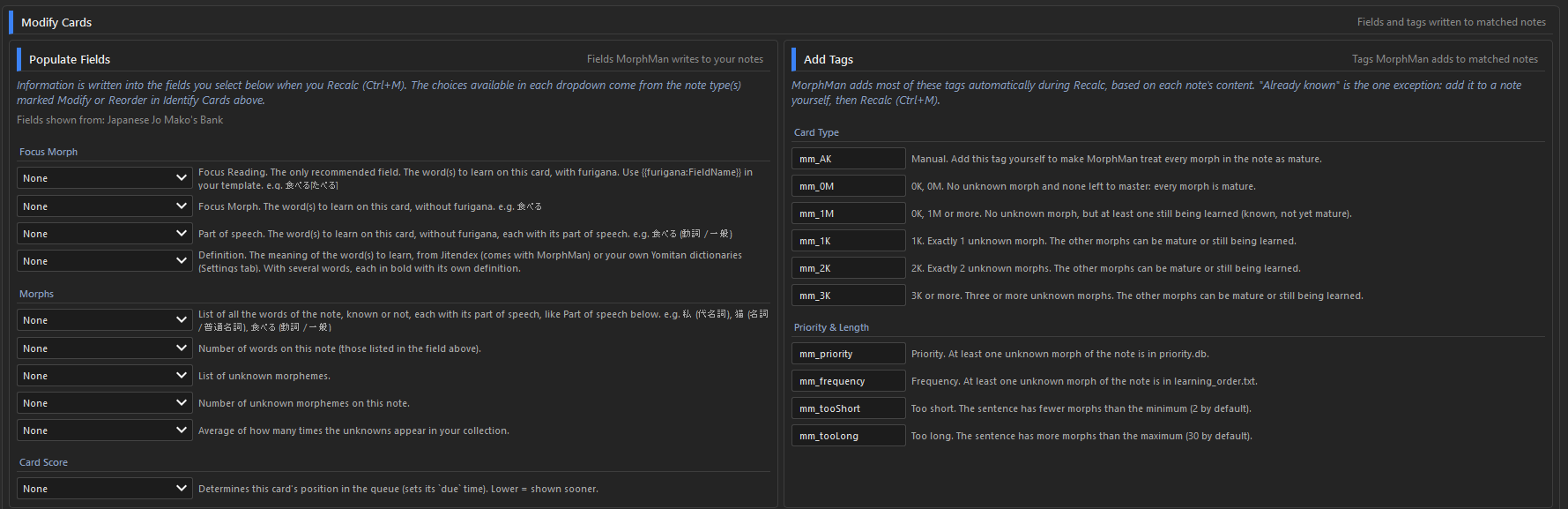
With Modify or Reorder, the Modify Cards section appears.
Use Populate Fields to link the MorphMan fields you want to the fields of your note type. At least Focus Morph or Focus Reading is recommended.
You can also rename the tags in the Add Tags section. Leave a tag empty if you don't want it.
4. Run Recalc
Click Recalc, or press Ctrl+M.
5. Find media at your level
Open the Readability tab.
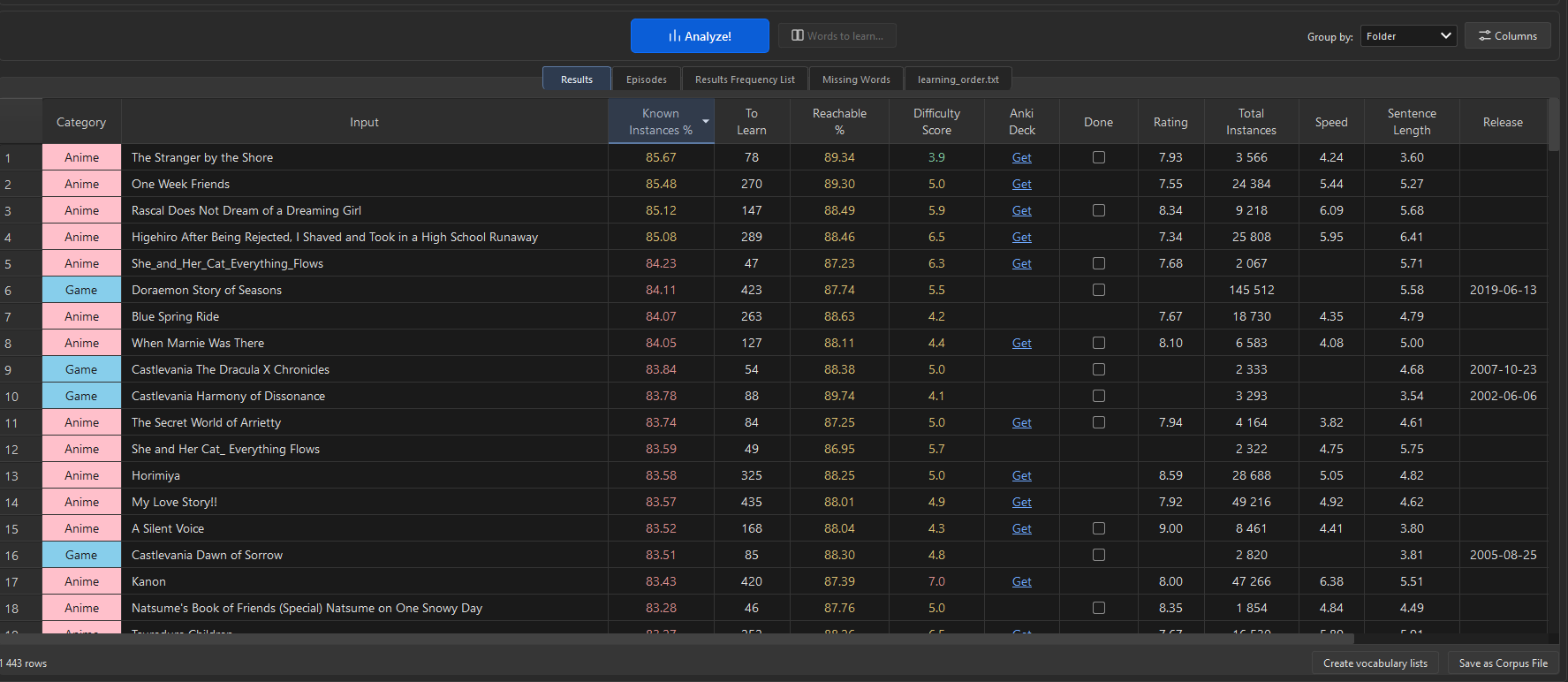
Check the media you're interested in. It can take a minute, so maybe pick only one the first time.

You get a lot of data, but mainly:
- Known Instances %: how much of the text you already know.
- To Learn: how many words you need to reach your goal.
- Difficulty Score: how hard each title is.
- Anki Deck: a direct link to download a premade deck with all the sentences.
- Done: to filter out the titles you've already studied or aren't interested in.
6. Study Plan
You can filter the words you want to learn by two factors:
- Rank limit: to focus on the most frequent words.
- Target readability: to set how much you want to understand.

7. Words to Learn
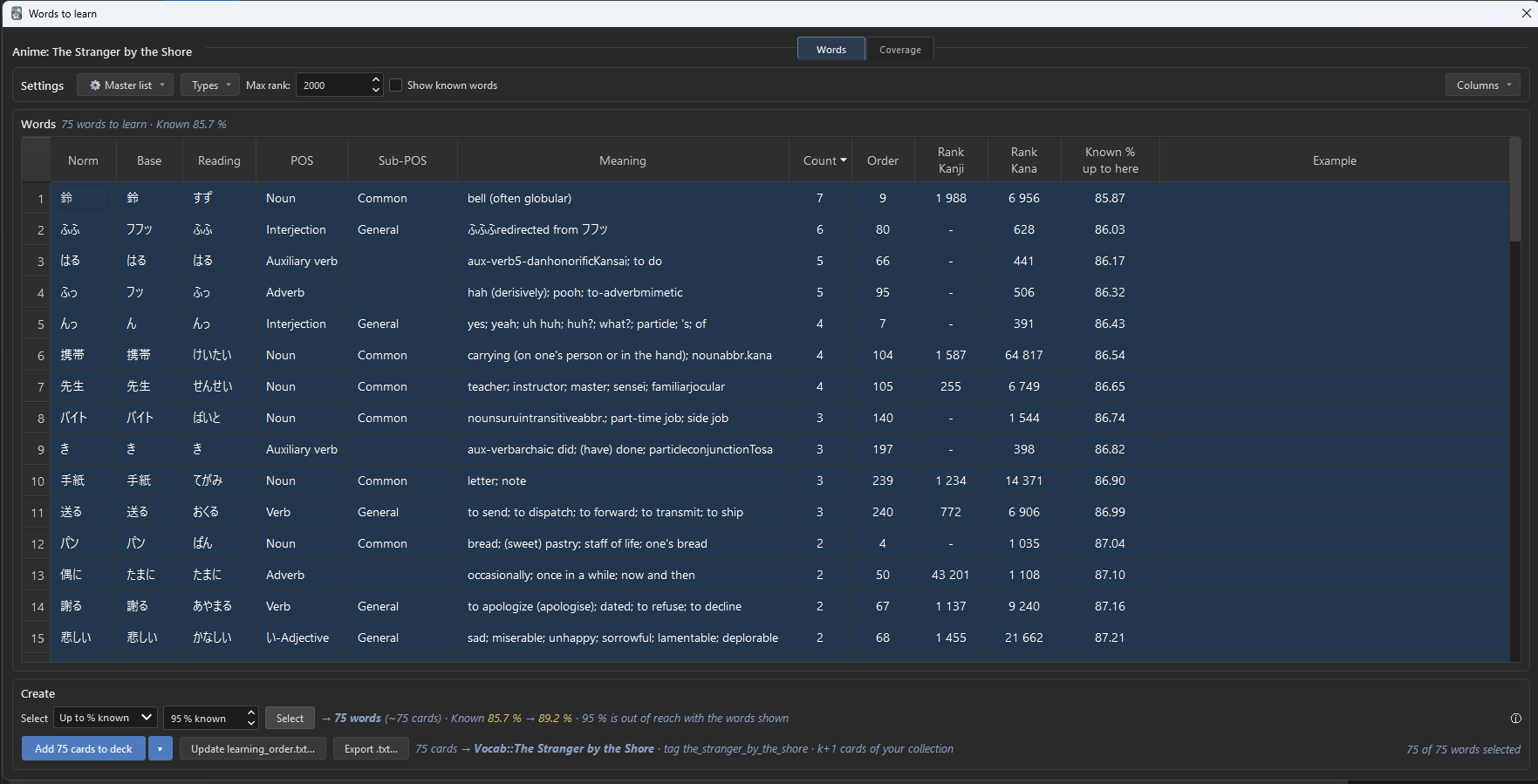
Select a title in Results, then click Words to learn… (or double-click the row).
You get its unknown words, the most frequent first.
Select the words you want. The Select bar helps:
- First rows: the first N words.
- Up to % known: enough words to reach a %, for example 90 %.
- By Count: the words that appear at least N times.
No selection? The buttons use every word shown.
Then, 3 choices:
- Add to deck: makes the cards. A sentence from your own cards when there is one, with its sound and picture. Otherwise, a vocab card. See Adding words to a deck.
- Update learning_order.txt…: at the next Recalc, your cards that teach these words come first.
- Export .txt…: saves the words as a file, to import in Anki with File > Import.